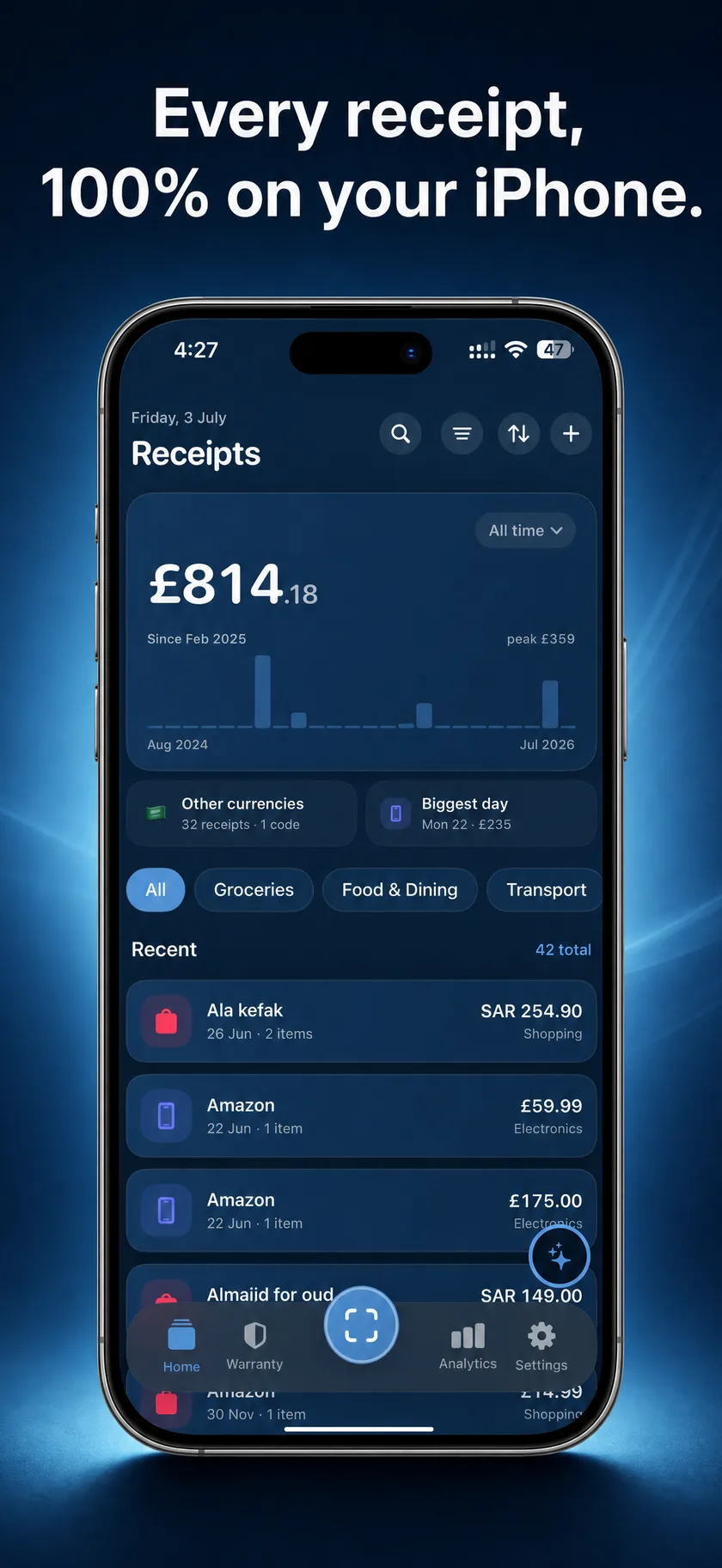
Tally captures, reads, splits and understands your paper receipts entirely on your iPhone. The scanner, the AI, the warranties: all on-device. Your data never leaves your phone.
Scan any receipt. Paper to understood, in seconds.
01 · Capture
Snap it. It's sorted.
Point your camera at any receipt: crumpled, curled, faded thermal paper. Tally flattens the page, reads every line item right on your phone, and files it in seconds. No typing, no cloud round-trip.
02 · Understand
Ask. It answers.
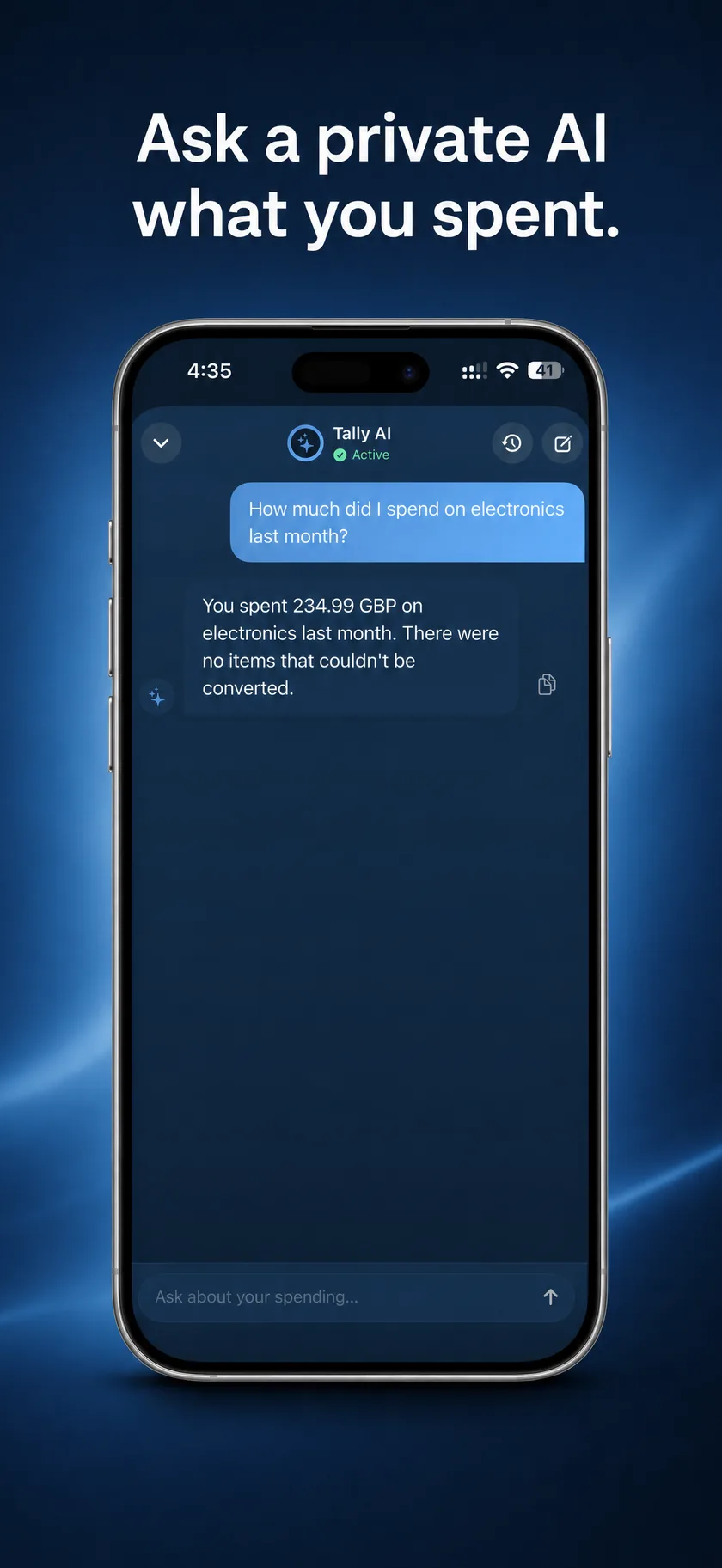
“How much did I spend on groceries last month?” The assistant runs entirely on-device. It reads your own receipts, does the exact math itself, and never sends a single word to a server.
Features
Everything your receipts carry.
One receipt holds a purchase, a warranty, a split, a project, a delivery fee, a currency, a tax line. Tally keeps all of it, and keeps it on your phone.
Split any bill, settle up
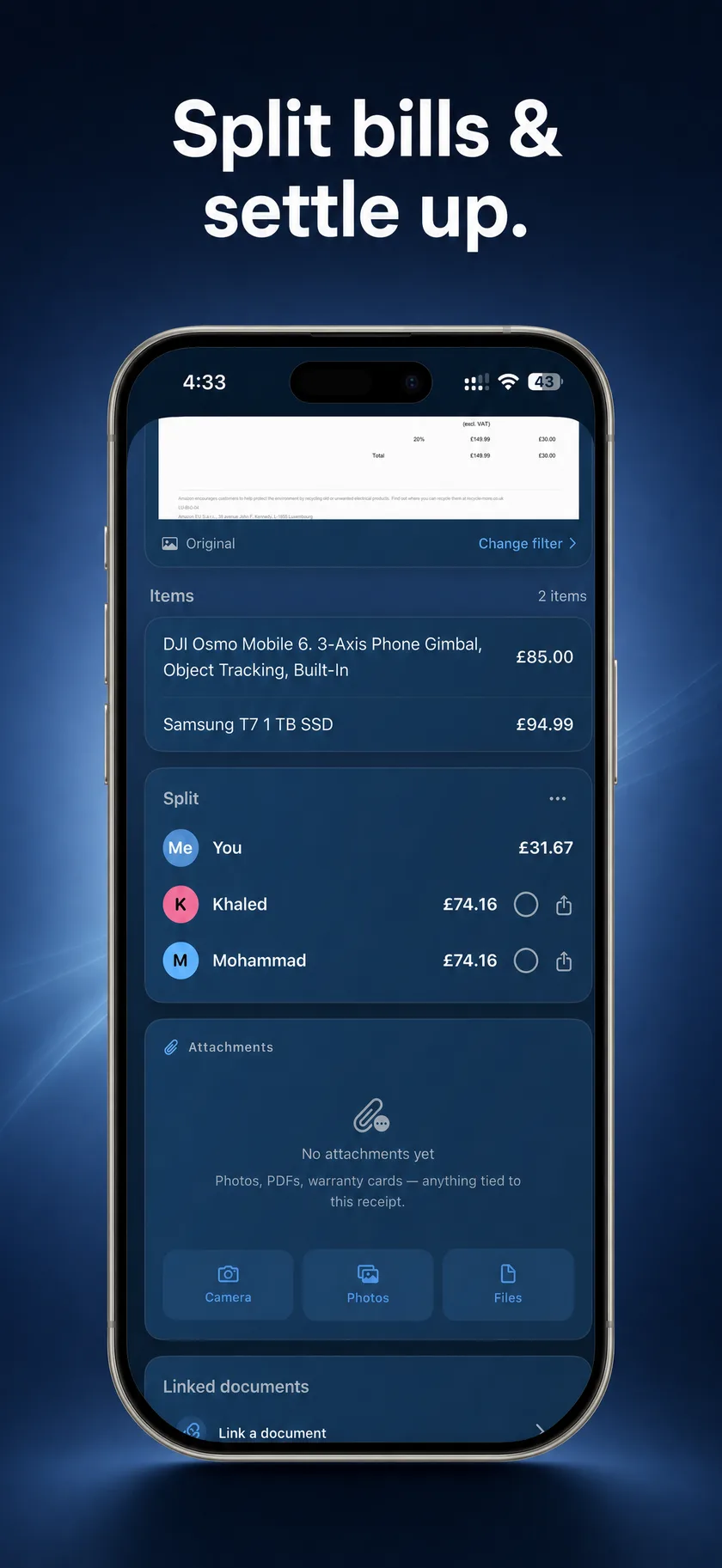
Tag line items to people, or divide a shared dish by how many each person had. Delivery fees and tips split fairly too, proportionally or per head. Who owes whom stays netted per currency, with a message you can paste into any chat.
Never miss a warranty
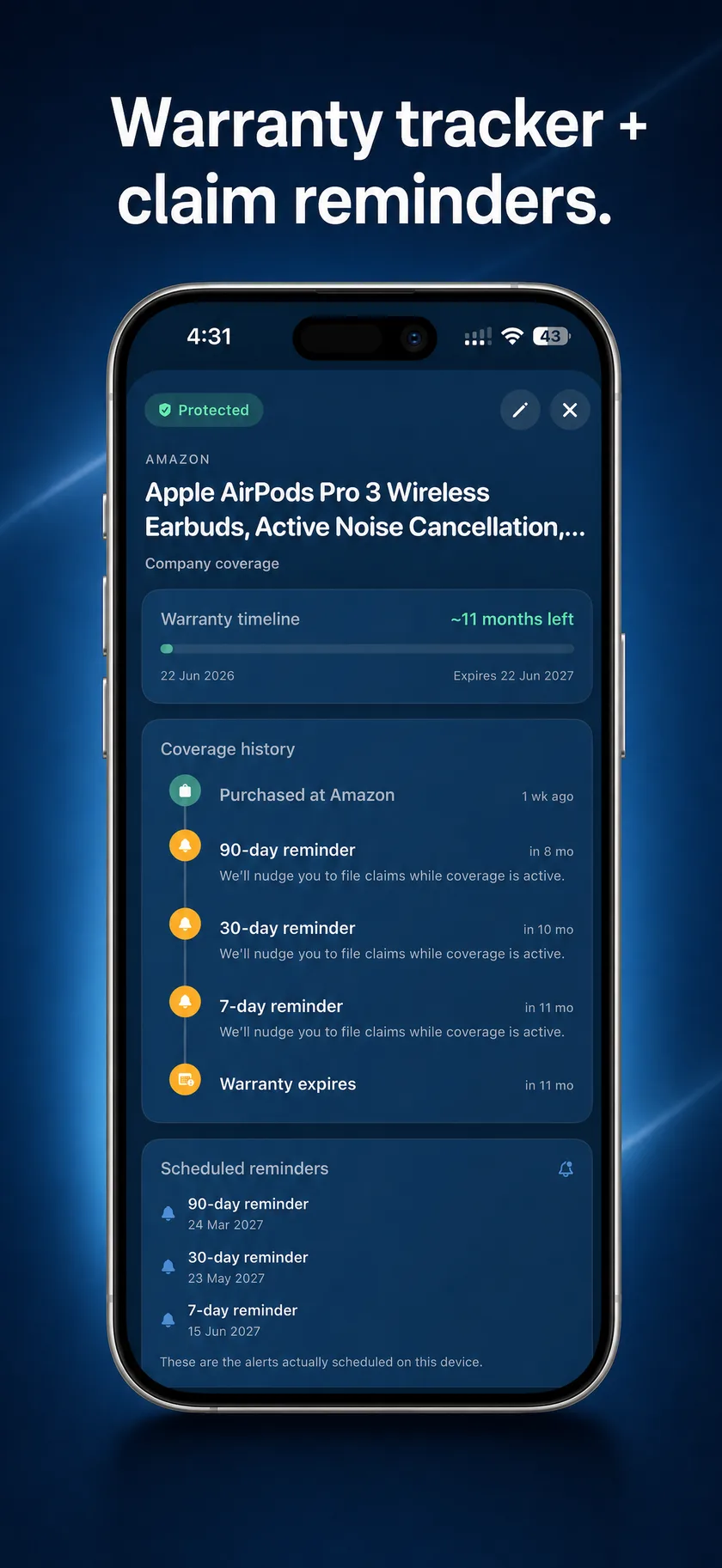
Every device gets its own card: term, serial, countdown, reminders before it lapses, and a claim email drafted for you.
Every currency, one total
Each receipt keeps its own currency; your home total rolls up at the right date.
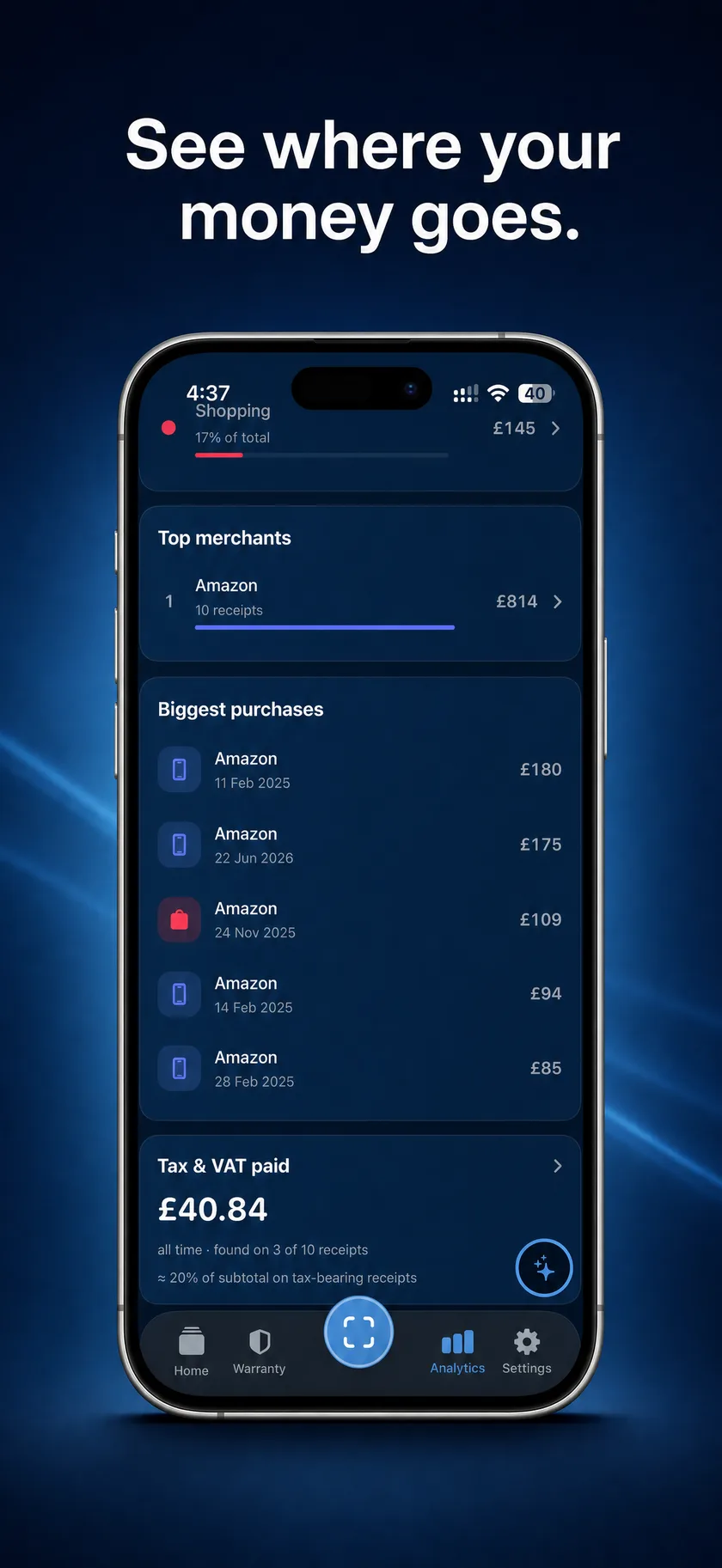
See where it goes
Honest spending trends and category breakdowns. Every bar sums to the real total.
Group receipts into projects
A kitchen reno, a trip, a client. Every receipt you add keeps a running total, per currency.
Locked and encrypted
Face ID app lock, encrypted backups you hold the key to, optional private iCloud sync.
Screens
Have a look around.
Straight from the App Store listing. Every one of these screens is the real app, running on-device.
Privacy
Your data never leaves your device.
Tally is offline-first by design. The only times it touches the internet are five things you choose: your own iCloud sync, your own iCloud backups, refreshing exchange rates, App Store purchases handled by Apple, and a one-time download of the assistant’s AI model. Nothing else reaches the wire.
On-device OCR & AI
The scanner and the assistant run on your iPhone. The assistant’s model downloads once, then everything works offline.
No account, no tracking
No sign-up, no servers holding your data, no ad SDKs, no analytics watching you.
You hold the keys
Backups are encrypted with your passphrase. Sync, if you turn it on, is your own private iCloud.
Either way, everything runs on your iPhone. Pro unlocks capability, never your data.
Free
Real receipt-keeping, free forever.
Your first 15 receipts, with full scanning & on-device OCR
2 device warranties with reminders
1 live project with a running total
View, edit, organise and search everything
Basic exports: PDF report, spreadsheet, images
Encrypted backups, in and out
Face ID app lock
Your data is never held hostage: everything you saved stays viewable, editable and exportable, whether or not you ever pay.
Tally Pro
One unlock, every feature
Unlimited receipts
The on-device AI assistant
Full analytics: trends, movers, tax view
Bill splitting & settle-up
Unlimited projects with running totals
Batch scanning & multi-photo import
Multi-currency totals & exchange rates
Tax, QuickBooks & Xero exports
Unlimited warranties + guided claims
Multi-device sync via your own iCloud
Monthly
$4.99/mo
Annual7-day free trial
≈ $2.50 a month
$29.99/yr
Lifetime
Pay once, yours forever
$89.99
Family Sharing included on annual and lifetime. Subscriptions renew until cancelled. Cancel anytime in your App Store settings. Prices in USD; local pricing set by the App Store.
FAQ
Questions, answered.
Straight answers about privacy, pricing, and what runs where. The short version: on your iPhone.
Is Tally actually private? Does it collect my data?
Tally collects no data at all. Its published App Store privacy label is “Data Not Collected,” and there are no accounts, no analytics, no ad SDKs, and no third-party tracking SDKs in the app. Scanning, the AI assistant, categorisation, search, and warranty tracking all run on your iPhone, so your receipts are never uploaded to anyone’s servers. The only network activity is five things you choose yourself: optional private iCloud sync, iCloud Drive backup copies, a user-initiated exchange-rate refresh, App Store purchases handled by Apple, and a one-time AI model download.
Does Tally work offline?
Yes. Tally is offline-first: scanning, searching, editing, warranty tracking, and the AI assistant all work with no internet connection. OCR runs on a vision-language model bundled with the app, and the assistant runs on a local language model after a one-time download of about 3.5 GB that you start yourself. Nothing in the core app requires a connection, an account, or a server.
What does Tally cost?
Tally is free for your first 15 receipts, and Tally Pro costs $4.99 per month, $29.99 per year with a 7-day free trial, or $89.99 once for lifetime access. Prices are in USD, set through the App Store. Family Sharing is included on the annual and lifetime plans. Pro unlocks unlimited receipts, the on-device AI assistant, full analytics, bill splitting, unlimited projects, batch scanning, multi-currency totals, unlimited warranties with guided claims, and Tax, QuickBooks and Xero exports.
What do I get on the free tier?
The free tier includes your first 15 receipts with full scanning and on-device OCR, plus 2 device warranties with reminders and 1 live project with a running total, along with viewing, editing, organising and searching everything, basic exports (PDF report, spreadsheet, images), encrypted backups, and the Face ID app lock. Your data is never held hostage: everything you saved stays viewable, editable, and exportable forever, whether or not you ever pay.
Can Tally track my device warranties?
Yes. Every device on a receipt gets its own warranty card with the coverage term, serial number, an expiry countdown, and reminders before it lapses. When something breaks, Tally drafts a claim email for you, and warranty dates can be exported to your calendar. The free tier covers 2 device warranties; Tally Pro removes the limit and adds the guided claim flow.
Can I split receipts and bills with friends?
Yes. Tag individual line items to people and Tally tracks who owes whom across every receipt as a netted, per-currency ledger with full or partial settle-up. Shared multi-quantity items can be divided by how many units each person had, and delivery fees, service charges and tips can be split per head instead of proportionally. It generates a plain-text breakdown you can paste into any chat app, so friends don’t need Tally installed. Splitting is fully local: no accounts, and no payments processed. Bill splitting is a Tally Pro feature.
Is there an Android or web version?
No. Tally is iPhone-only (iOS 17 and up), with no Android app and no web version. That’s a consequence of its design: everything, including OCR and the AI assistant, runs on the device rather than on servers, so there is no cloud backend a web app could talk to. It’s available on the App Store.
Where is my data stored, and what does “Data Not Collected” mean?
Everything, from receipts and warranties to splits and conversations, is stored locally on your iPhone; Tally has no servers and no account system. “Data Not Collected” is Tally’s published App Store privacy label, and it means the developer collects nothing from the app: no analytics, no advertising data, no tracking, nothing linked to you. If you turn on sync or backups, your data goes only to your own private iCloud, and backups can be sealed with a passphrase only you hold.
The private receipt scanner, now on the App Store.
Tally is built for iPhone, iOS 17 and up. Every feature runs on-device, with no account to create and nothing to trust us with.